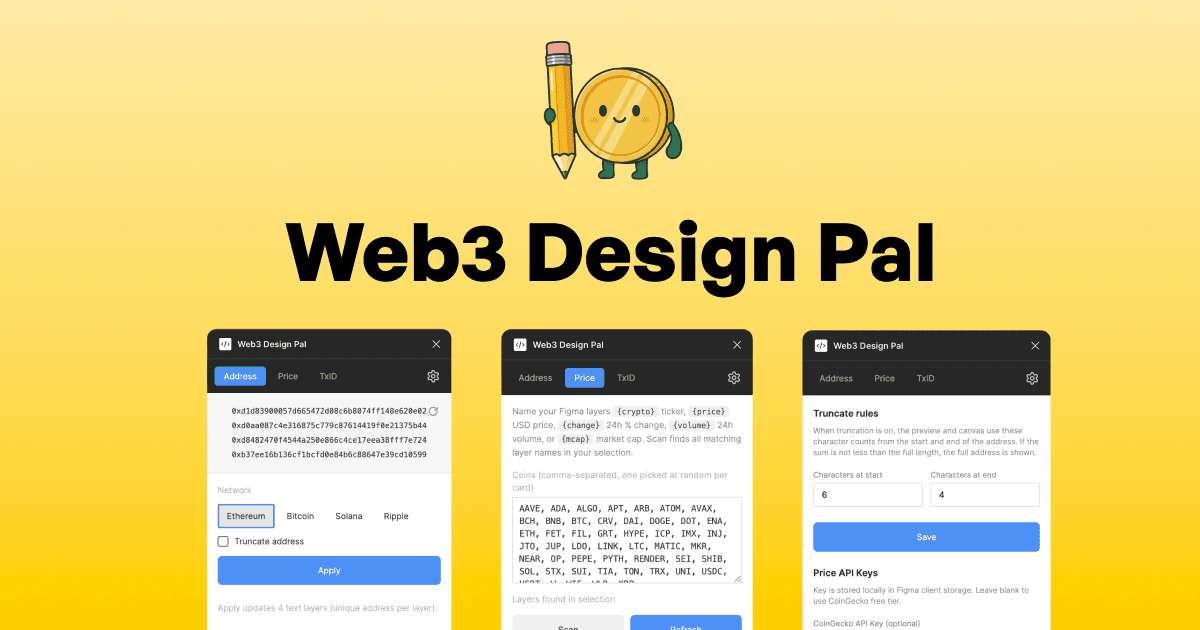
If you design Web3 interfaces in Figma — portfolio dashboards, token list and table, transaction histories — this plugin was built for frustration that came along building it.
Pain of typing "0x2AS1830DFAG128"
Designing for crypto means a lot of placeholder data: wallet addresses, The usual workflow is embarrassing: open a browser tab, visit some generator, copy a fake 0x... address, paste into Figma, repeat for every text layer. With Figma AI, rewrite content or replace content gets a bit better, when you prompt "Replace addresses using Ethereum address format". But as Garry Tan put, I want deterministic results while I'm relying on undeterministic method.
I got tired of it and most of Figma community are crypto icon and prices generated. So I built a plugin to solve my own problems
V1: Just an crypto address Generator
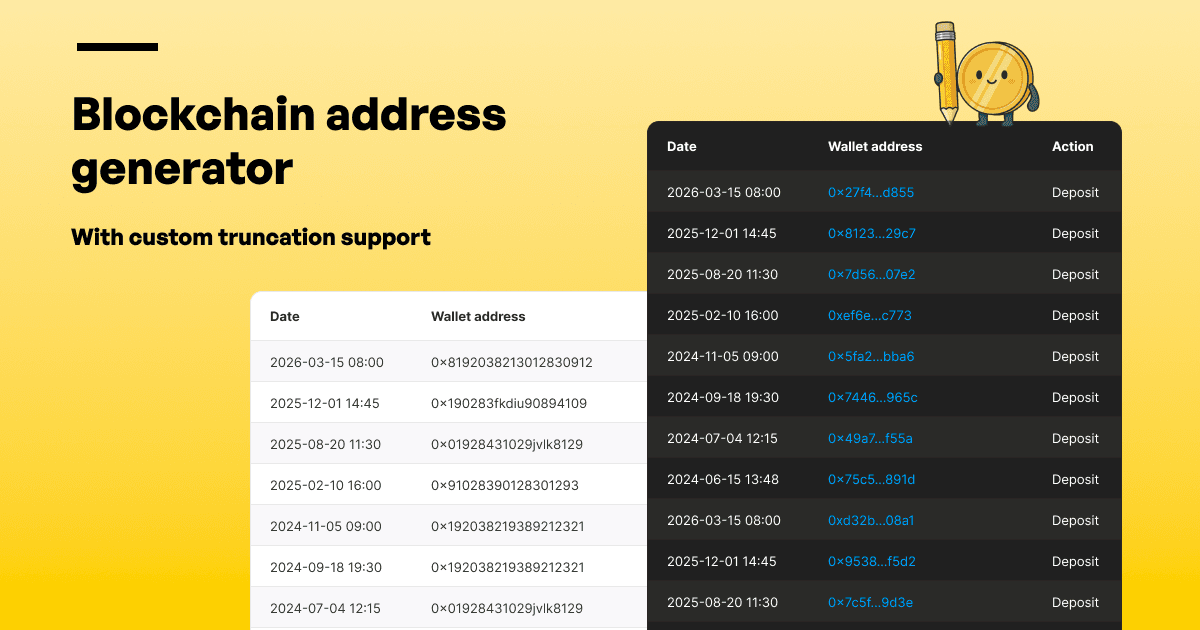
I was not ambitious for my first one, I never build and publish a Figma Plugin and not very familiar with plugin architecture, Figma Plugin that I have access. So my goal was just to mock wallet addresses without leaving Figma.
It support four formats:
- Ethereum —
0x...hex format - Solana — base58 style
- Bitcoin —
bc1...bech32 format - Ripple —
r...format
Everything generates 100% locally — no network calls, no API keys, no privacy concerns. And the address is not real anyway, they are all just realistic mocks. You can either generate when not selecting text layer or you can select existing layers to apply unique address to your tables, list, anywhere.
V1.5: What about formatting?
I wanted to support truncation option for cramped layouts where you don't want the full 42-character string, but it shouldn't be per application. Reality is everywhere has a different truncation rule, some truncate first 4, some truncate first 5. I realised I might need a global settings that require another page.
I was happily using the plugin on my machine and I eventually submit it for Figma review after spending times to create a mock and forgot about it.
V2 Live Price Data
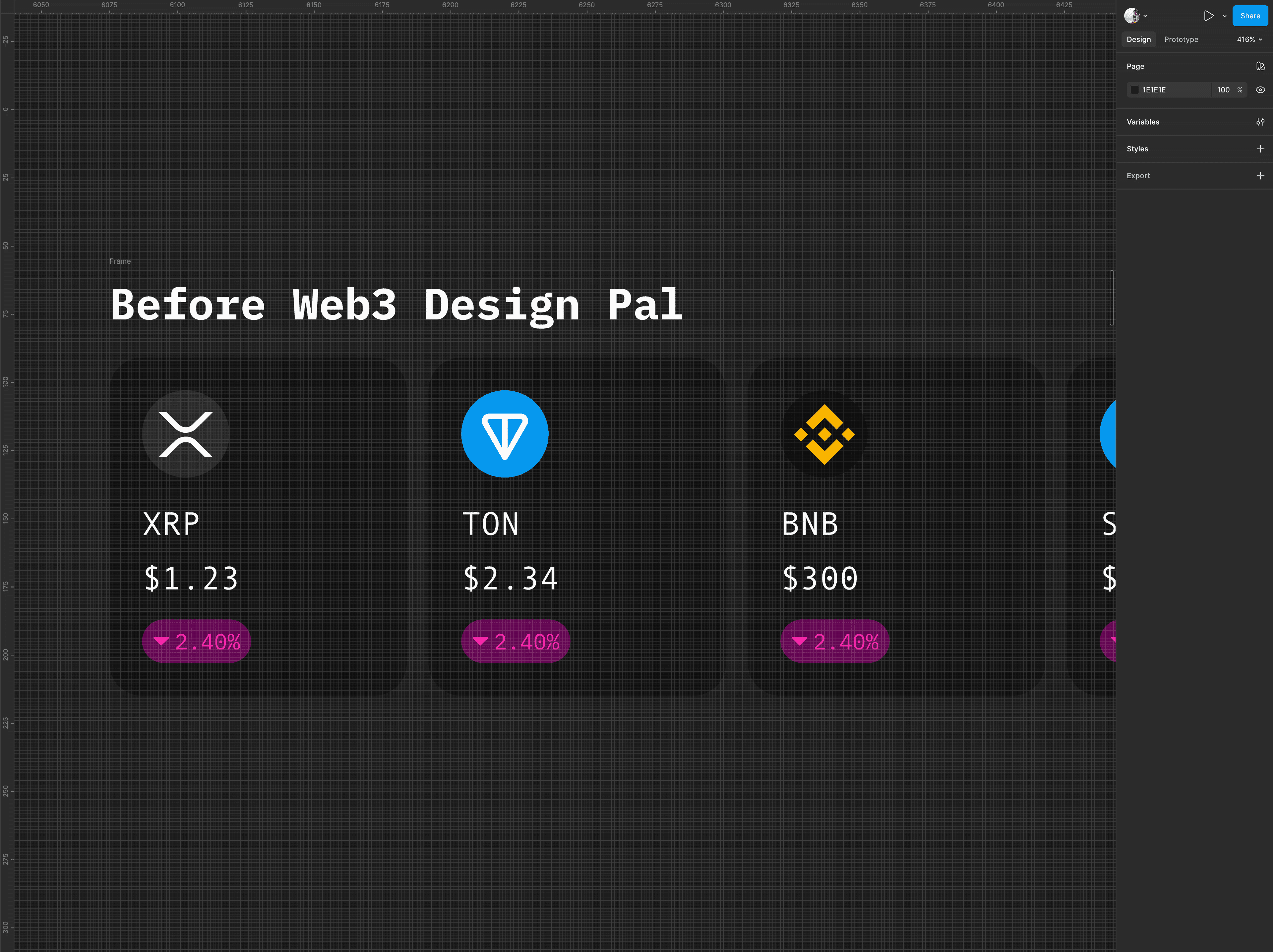
Few months later, I revisited the project as I got another idea. The second version tackled a different problem: keeping live token price across a design without manual updates.
It is more challenging, wallet address format don't really change, but prices do. Matching the ticker and supporting fiat current adds another layer of complexity
A new Price tab connects to CoinGecko's API and scans your selected layers for placeholder tokens:
{crypto}— coin ticker{price}— USD price{change}— 24h change{volume}— 24h volume{mcap}— market cap
Add these tokens to your layer names or text content, hit Scan, then Refresh — the plugin fetches live data and replaces every matched layer automatically. It even auto-detects literal ticker text like BTC and updates sibling data layers without overwriting the ticker itself.
Lessons learned and What's next
The biggest one: shipping a small tool that solves your own problem is worth it, even if you're learning the platform as you go. V2 came from using it regularly and noticing the next friction point.
It's free, no paywall. If it saves you time in a project, consider sponsoring a coffee.
Next up, crypto icons! Also, there are left over issues from showing 24h change, as it would usually connected to different color or even different component state. I f you hit a bug or have an idea, ping me on X or Github!
Install from Web3 Design Pal on Figma Community and let me know what you think!
Quick Start
- Install from Web3 Design Pal on Figma Community
- Open via Plugins → Web3 Design Pal
- Address tab: pick a chain → Preview → Create or Apply to existing layer
- Price tab: add a CoinGecko API key in Settings → select layers with
{price}tokens → Scan → Refresh → Update text